
Types of Lacie Drives We Recover From
We provide recovery for a wide range of Lacie external hard drives and RAID systems, including:
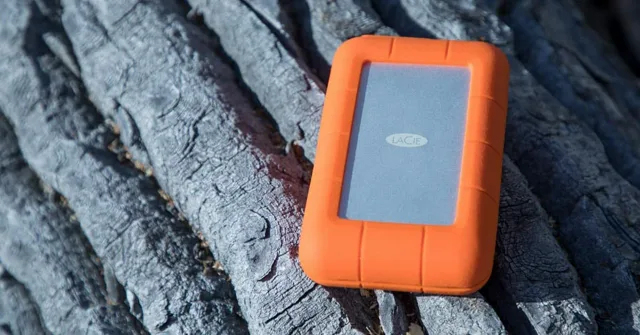
- Lacie Rugged Drives (HDD and SSD)
- Lacie d2 Professional Desktop Drives
- Lacie 2big, 4big, and 6big RAID arrays
- Lacie Mobile SSDs
- Lacie Porsche Design Drives
- USB-C and Thunderbolt-connected models
- Formatted or encrypted drives
No matter if you use a portable USB-C drive or a multi-disk Thunderbolt RAID array, our lab can help. We have the tools and knowledge to recover data from a Lacie device in any setup or condition.
Common Issues with Lacie Drives
Despite their reputation for quality, Lacie drives can still fail or lose data because of a variety of issues. Below are some common causes of data loss that we see in our lab:
Accidental Deletion or Formatting
One of the most common scenarios involves users accidentally deleting files or formatting a drive. In many cases, the data still exists on the drive but has been marked as "free space." Acting quickly increases the chances of successful recovery.
File System Corruption
Corruption in the file system can occur after improper disconnection, system crashes, or software bugs. A corrupted drive might appear blank, unmounted, or prompt you to format it when you connect your Lacie external hard drive.
Physical Damage
Although Lacie drives withstand impact like the Rugged series, they're not indestructible. Drops, water exposure, and electrical surges can cause mechanical failure or damage internal components.
Disk Utility Errors
Mac users often encounter issues when using Disk Utility. Clicking Erase or running First Aid incorrectly can result in losing data or triggering a drive reformat.
Connection Problems
Sometimes your computer might not recognize the drive. Faulty USB ports, bad cables, or issues with the bridge board inside the drive enclosure can cause this.
Bad Sectors and Drive Degradation
Over time, hard drives develop bad sectors—areas of the disk that can no longer be read. If not caught early, this can lead to permanent file loss.
Advanced Lacie RAID Drive Recovery
Many professionals use Lacie RAID drives like the 2big, 4big, and 6big models for speed and redundancy. These systems often use RAID 0, RAID 1, RAID 5, or RAID 10 configurations. When one or more drives in a RAID array fail, recovery gets more complicated. This can also happen if the RAID is misconfigured or corrupted.
Here's how we handle Lacie RAID data recovery:
- We never work on the original disks directly.
- Our engineers clone each drive to create exact disk images.
- We identify the RAID parameters, including block size, disk order, parity rotation, and stripe configuration.
- We virtually rebuild the RAID array using specialized software.
- We recover files from the rebuilt structure, even from partially degraded arrays.
- If we find damaged files, we attempt reconstruction using header repair and file stitching.
If you have lost data from a Lacie RAID system, we can help. Whether it was because of failure, formatting, or disk removal, we can rebuild the array and recover your data.
Our Lacie Drive Data Recovery Process
We follow a safe, transparent recovery process:
Diagnostic
We examine your device to determine the type of issue: logical, physical, or file system failure.
Imaging
We create a read-only image of your drive to avoid further data loss.
Scanning
We scan the image to locate deleted files, damaged partitions, or corrupted directories.
Recovery
We extract and verify recovered files, checking their integrity.
Delivery
We return your recovered data on a new storage device or one you provide.
File Types and Use Cases for Lacie Drives
Lacie hard drives are trusted by professionals and creatives for their ability to store large amounts of data securely. Many users store:
- High-resolution videos and photography
- RAW footage for film editing
- Adobe and Final Cut project files
- Audio and music production sessions
- CAD files and creative design assets
- Large client databases or backups
These file types are often critical and not easily recreated. When you experience losing data from a Lacie, especially project files or client deliverables, it's essential to work with a recovery team that understands the importance of fast and accurate file recovery.

How Lacie Drives Differ from Other Storage Devices
Lacie drives are built with performance in mind. They often have faster connections like Thunderbolt or USB-C. These are popular with Mac users and those who use creative software. These high-speed drives are great for video editing or accessing files quickly. However, their design can make recovery more complex.
Lacie external hard drives may also have embedded encryption, which makes DIY recovery risky. If someone uses the wrong tool, they could overwrite the encryption header or corrupt the file system entirely. That's why we always start with a forensic image. This keeps your original device safe during the recovery process.
What You Should Avoid After Losing Data
Many clients unintentionally make recovery more difficult by trying to fix the problem themselves. Here's what not to do if you're dealing with a failed or deleted Lacie drive:
- Don't run Disk Utility's First Aid or CHKDSK
- Don't format the drive again
- Don't install recovery software directly on the same drive
- Don't keep connecting and disconnecting the drive
Each of these actions can reduce your chance of recovery. They may overwrite important areas or harm the file system further. If your Lacie external hard drive shows signs of failure, stop using it. Send it to a professional recovery service.
File Systems We Work With
Lacie drives may use different file systems depending on whether they're used on Mac or PC:
- exFAT or FAT32 – Common for cross-platform usage, but prone to corruption
- HFS+ and APFS – Used by macOS, especially on Time Machine and media storage
- NTFS – Common for Windows users
- EXT4 – Used in Linux-based environments or NAS systems
Each file system stores and deletes data differently. Our tools allow us to recover lost files from a Lacie drive regardless of format. We also recover from drives showing as RAW or unallocated.
Our Experience with Creative and Production Professionals
Five Star Data Recovery has worked with countless production houses, creative agencies, and media professionals. Industries consider Lacie external hard drives a staple because they handle large files and support fast workflows. We understand how devastating it is to lose a wedding shoot, a commercial project, or hours of edited footage.
We've recovered data from Lacie devices used in film sets, music studios, animation workstations, and commercial photography sessions. Whether you formatted your Lacie hard disk, dropped it on location, or it became unreadable mid-edit, we're here to help. Our lab handles not just recovery, but also the specialized file types used in creative workflows.
Expedited Recovery Services
If you're facing a deadline or business interruption, we offer expedited data recovery services:
- Expedited Service ($200 per device): Prioritized during business hours.
- Expedited Plus Service ($500 per device): 24/7 emergency recovery with non-stop work on your case.
These expedited fees are non-refundable and are in addition to standard recovery charges.
Why Choose Five Star Data Recovery?
- Specializing in Lacie external hard drives and RAID systems
- In-house cleanroom for physically damaged drives
- Industry-leading success rates
- Flat-rate pricing and free diagnostics
- "No data, no charge" guarantee (except expedited services)
- Forensic-grade tools and certified engineers
- Friendly support team with real-time updates
Tips to Prevent Future Data Loss
Once your data is recovered, we always recommend a few key steps to prevent future issues:
- Use cloud backups or local mirroring tools to keep multiple copies of your files
- Avoid ejecting Lacie drives while files are still transferring
- Keep drives in dry, temperature-controlled spaces
- Replace older drives every few years as performance degrades
Even the best storage devices wear out over time. With proactive care and proper backup systems in place, you can avoid the stress of losing important files again.
Final Thoughts: When in Doubt, Reach Out
Lacie drives are built tough, but recovery requires expertise. If you have a single corrupted file or a whole RAID array that won't mount, we can help. We have the tools and experience to recover your data safely.
If you're ever unsure about what to do next, don't risk it. Reach out to our team for guidance. We'll walk you through the next steps, offer a free diagnostic, and help you get your files back with clarity and confidence.
If you're dealing with accidental deletion, physical damage, or corruption, don't wait. The longer you delay, the greater risk you take with your data.
- Free diagnostic — no obligation
- Flat-rate pricing — no hidden fees
- No Data, No Charge (most cases)
- Free nationwide shipping both ways