
Common WD Hard Drive Issues
Western Digital drives are popular and generally reliable. However, like any electronic device, they can fail unexpectedly. Recognizing early warning signs can help prevent permanent data loss. Some of the most common symptoms we see include:
My Passport Hard Drive Light Blinking But Not Working
If your WD My Passport drive is blinking but not recognized by your computer, it may have a power issue. It could also have a damaged USB interface or corrupted firmware. In many cases, the drive may still spin up, but it fails to establish a proper connection with the system. If you've tried switching cables and ports without success, the failure is likely internal. Avoid repeated attempts to connect and seek help from a professional.
WD Hard Drive Not Showing Up
When your Western Digital hard drive is not appearing, it can be frustrating—and concerning. Often, this points to logical errors like corrupted partitions, missing drive letters, or a faulty file system. If the drive does not appear in Disk Management or Device Manager, it may have PCB damage, bad heads, or other physical problems. This type of failure usually requires specialized tools and cleanroom access to properly diagnose and recover the data.
WD External Hard Drive Shows Errors
Sometimes your WD external hard drive shows errors; it might appear in your system but request formatting or arrive as RAW. These signs typically indicate file system corruption, often caused by improper removal, bad sectors, or interrupted file transfers. Although it might seem like a quick fix, formatting the drive can permanently overwrite your files. Our engineers can extract the data using non-destructive recovery techniques tailored to Western Digital File Recovery.
Clicking or Beeping Sounds
If your drive makes clicking or beeping sounds, you should never ignore this red flag. These noises often come from a problem inside the hard drive — the read/write head is stuck or failing and keeps trying to find data but cannot succeed. This kind of failure usually requires head replacement or advanced cleanroom repair. Shut off the device immediately and contact a Western Digital Data Recovery professional before the situation worsens.
What Causes WD Drives to Fail?
Western Digital drives fail for many reasons—some sudden, some progressive. Here are common causes:
- Physical damage from accidental drops or impact
- Power surges damaging internal components or the PCB
- Corrupted firmware or partition tables
- Exposure to heat or water
- Virus or malware affecting the drive's boot or partition info
- Bad sectors that develop over time because of wear and tear
Even routine use can lead to data loss over time. That's why it's critical to address early signs of failure immediately.
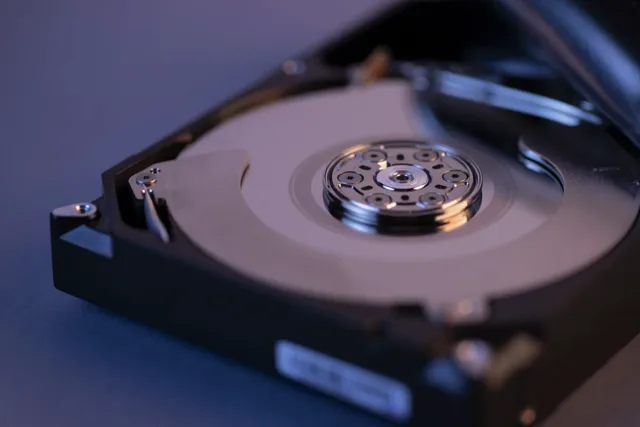
How Our WD Data Recovery Process Works
We use a systematic, proven approach for every Western Digital Data Recovery case.
Free Diagnostic
We examine the drive to determine the failure type—physical, logical, or both. If the drive is clicking, beeping, or not powering on, we proceed with care.
Cleanroom Imaging
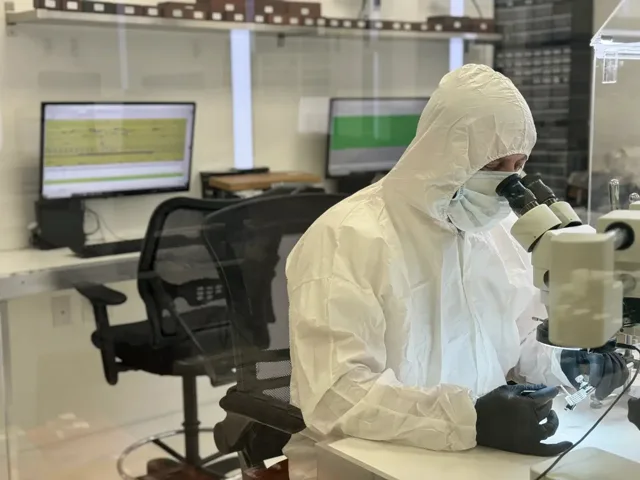
If needed, the drive is opened in our certified cleanroom. Using a matching donor part, we attempt to stabilize the drive and create a sector-by-sector image.
File Extraction
Once stable, we extract and verify the data using advanced recovery hardware and software. We recover only after imaging to avoid damage to the original device.
File Verification & Delivery
Once the recovery is complete, we'll send you an Interactive HTML File Report of the recovery. This report will show you which files we successfully recovered and which ones we did not recover (if any data loss occurred). Once you approve, we save your files onto a new device that you provide or purchase from us.
Types of WD Drives We Recover
We can recover data from all major Western Digital products, including:
- WD My Passport (Ultra, for Mac, SSD)
- WD Elements Portable and Desktop
- WD Black, Blue, and Green Series
- WD My Book and My Cloud
- WD Easystore Drives
- Internal SATA, PATA, and IDE models
- External and encrypted drives
Whether it's an older backup drive or a new portable storage device, we've got you covered.
Troubleshooting Tips for WD External Drives
Before bringing your WD drive to us, here are a few basic checks:
- Try using a different USB cable or USB port
- Plug the WD External Hard Drive directly into the motherboard port, not a hub
- Open Disk Management in Windows to check if the drive is visible but unallocated
- Use Device Manager to check for driver issues
- Plug the drive into a different computer, if available
If your drive still doesn't work or makes unusual noises, stop using it to prevent permanent data loss.
Warranty & Manufacturer Limitations
Many people assume that if their WD drive fails, they can simply return it under warranty to recover their data. Unfortunately, this isn't true. Western Digital's warranty usually covers hardware replacement—not data recovery services.
In most cases, if you return the drive to the manufacturer, they will wipe or destroy your data. It's important to talk to a professional data recovery lab before doing anything about your warranty.
Why WD Drives Are Prone to Issues
Western Digital is one of the biggest drive makers in the world. However, like all mass-produced electronics, their drives can have flaws over time. Heat buildup, vibration, long-term use, and even minor manufacturing defects can all contribute to premature failure.
Portable models, like the WD My Passport, can have USB connection issues often because of their small design. Desktop models might be more vulnerable to bad sectors caused by power surges or improper shutdowns.
How Much Does Western Digital Data Recovery Cost?
At Five Star Data Recovery, Western Digital data recovery is offered at flat-rate pricing based on the drive type and storage capacity:
- $300.00 – For standard Western Digital SATA drives (laptop or desktop models) under 2TB. These are the most straightforward cases and typically involve logical issues or minor read problems.
- $500.00 – For WD SATA drives larger than 2TB, where the higher capacity requires longer imaging time and additional resources.
- $600.00 – For Western Digital external hard drives with USB 3.0 connectors. These drives are more complex to work with because they do not have a standard SATA connection and are often SED-locked, requiring specialized tools and techniques to access the data.
- $800.00 – For ultra high-capacity Western Digital drives (over 12TB). These cases require significantly more time and storage resources due to their size and complexity.
We provide a free evaluation before starting, and there are no hidden fees. You'll only be charged if the data is successfully recovered — we follow a strict no data, no charge policy.
What Happens After Recovery?
Once we complete the recovery process, we transfer your verified files to a clean, functioning drive. You can supply your own replacement drive or purchase one directly from us.
We strongly recommend backing up your recovered files in at least two locations moving forward. That way, you'll never have to go through another drive recovery process again.
Need Help Understanding Your WD Drive?
It can be confusing to figure out what is wrong with your drive, especially when it acts differently on different computers. If your WD drive works on one computer but not on another, it may have a problem. Unusual clicking or buzzing sounds are also early signs of a hardware issue. Stopping the use of the drive and getting it checked before the damage worsens is best.
We're happy to answer your questions, explain the recovery process, and even show you examples of common failures. From firmware corruption to head crashes, we break it down in simple terms.
If your WD hard drive is not showing up, making strange noises, or failing to open files, don't ignore the warning signs. Acting early gives you the best chance of recovering your data safely and completely.
- Visit our lab in Glendale, CA
- Mail your drive to us from anywhere in the U.S.
- Call us today for a free evaluation
- No Data, No Charge (most cases)