
What Are the Signs of a No Power Issue?
A hard drive with no power will usually show some or all of these signs:
- The drive is not spinning or making any noise
- Your computer doesn't detect the drive
- No LED lights turn on (for external drives)
- You don't hear the usual clicking or humming sounds
In these cases, the drive is likely not receiving electricity. This could be from a failed circuit board, damaged cable, or even a shorted power supply.
Common Reasons Why a Hard Drive Doesn't Power On
Several problems can cause your hard drive to not power on:
- Faulty power adapter or USB cable – Sometimes the problem is not the drive itself, but the cable or power source
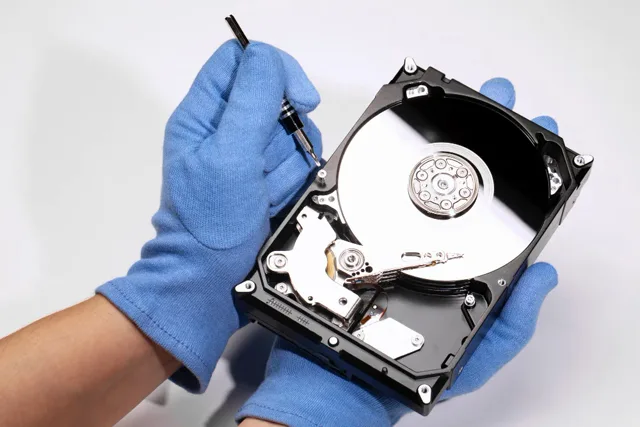
- Damaged PCB (Printed Circuit Board) – The board on the bottom of the drive can get fried due to power surges or age
- Burnt components – Overheating or electrical damage can cause parts inside the drive to fail
- Incorrect power connection – Plugging a 12V adapter into a 5V port can instantly damage the drive
- Internal short circuit – This can stop power from reaching the motor or heads inside the drive
What You Should (and Shouldn't) Do
If your hard drive doesn't power on, the most important thing is to avoid doing anything that could make the situation worse.
Don't:
- Try to open the hard drive
- Swap circuit boards between different drives
- Plug and unplug the drive repeatedly
- Use DIY software—these tools won't help if the drive is not spinning
Do:
- Check your cables and power source
- Try the drive on another computer or enclosure
- Bring it to a professional recovery lab if the issue continues
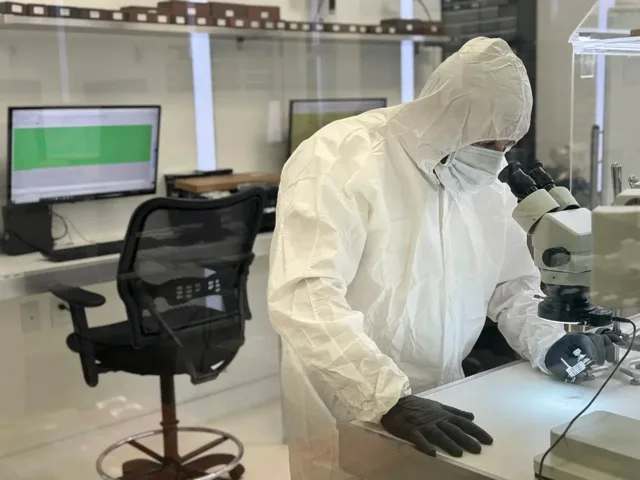
A drive that doesn't spin can still hold your files. We have tools and cleanroom environments that allow us to fix hard drives and safely extract data without causing additional damage.
Our hard drive recovery Process
At Five Star Data Recovery, we follow a step-by-step method to recover data from drives with no power:
- Free Diagnostic – We inspect the drive's board, connectors, and internal parts
- Safe Imaging – If the drive powers on after repair, we create a full image of the data to prevent further wear
- Data Extraction – We extract and rebuild the file structure, so your data is delivered exactly as it was before
- Verification – You'll see a file list and confirm that the data is correct before final delivery
If your hard drive has no power, we will first determine if the issue is external (cable or enclosure) or internal (board or heads). If needed, we can replace damaged parts using donor drives matched to your specific model.

Data Recovery Process
Our data recovery process is built around security, transparency, and peace of mind. From start to finish, we keep you informed with clear updates at every stage. With a commitment to honest service and no hidden fees, we follow through on every promise — ensuring a smooth and stress-free experience.
Drop off or Mail in Your Drive
You can visit our Glendale lab for a quick drop-off, or securely mail your device using our prepaid shipping label — whichever is more convenient for you.
Receive a Free Diagnosis
Our team will evaluate your device and provide a detailed diagnosis along with an initial quote — completely free of charge and with no obligation to proceed.
Our Engineers work on Recovering your Data
We carefully begin the recovery process using advanced tools and cleanroom procedures.
Review & Approve the Recovered
After recovery is complete, you'll receive a detailed file list to review so you can confirm everything important has been successfully recovered.
Receive your recovered data
Once approved, we'll securely transfer your data to a new drive and return it to you via pickup or insured shipping — ready for immediate use.
Why Choose Five Star Data Recovery?
We have helped thousands of clients recover files from drives not spinning or completely dead. Here's what makes us different:
- Upfront, Flat Rate Pricing
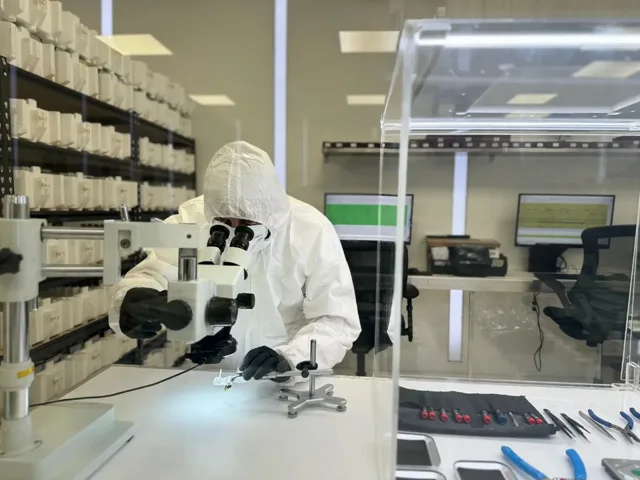
- Cleanroom for safe hardware work
- Years of experience with no-power drives
- "No Data, No Charge" policy
- Clear communication and flat-rate pricing
- Fast turnaround with Expedited and Expedited Plus Service options
Our goal is simple: recover your data safely, affordably, and quickly—even when the hard drive doesn't power on.
Don't let a non-working drive turn into a permanent data loss situation. If your hard drive has no power, let the experts at Five Star Data Recovery bring it back to life. Contact us today for a free evaluation.
- Free diagnostic — no obligation
- Flat-rate pricing — no hidden fees
- ISO 5 certified cleanroom
- No Data, No Charge (most cases)